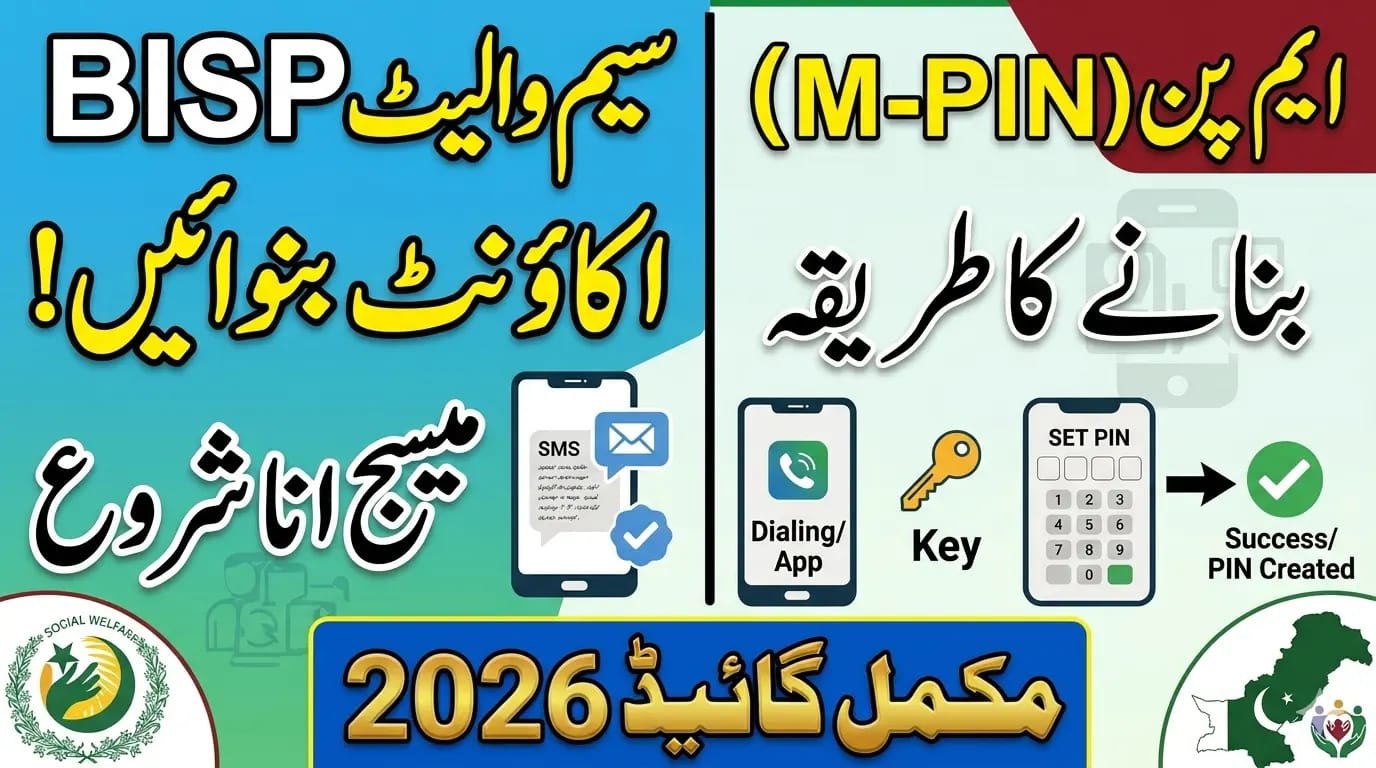
BISP 8171 Update: How to Activate BISP SIM Wallet & Create Your MPIN Easily
BISP 8171 Update: How to Activate BISP SIM Wallet & Create Your MPIN Easily
The Benazir Income Support Programme (BISP) has taken a giant leap toward modernization in 2026. To stop the middleman culture and ensure every rupee reaches the rightful owner, the government has introduced the BISP SIM Wallet.
This digital system allows women to receive their payments directly on their mobile phones. If you have received your new BISP SIM and are wondering how to get it started, you are in the right place.
BISP 8171 Wallet Quick Overview
| Feature | Details |
| Program Name | Benazir Income Support Programme (BISP) |
| New Payment Method | Digital SIM Wallet (Social Protection Wallet) |
| Official SMS Code | 8171 |
| Monthly/Quarterly Amount | Rs. 13,500 (Current Installment) |
| Required Code | 4-Digit Secret MPIN |
| Service Charges | Absolutely Free |
Overview of the Topic
In 2026, the BISP management partnered with six major banks—including HBL, Bank Alfalah, and Mobilink Bank—to distribute over 10 million digital wallets. The purpose is simple: transparency. Previously, many beneficiaries had to wait in long queues at campsites or deal with agents who sometimes deducted “fees” illegally.
With the new BISP SIM Wallet, your money is stored in a digital account linked to your mobile number. You can withdraw it from an ATM, a designated shop, or even use it to pay utility bills directly. However, to keep your money safe, you must activate the SIM and create a secret MPIN (Mobile Personal Identification Number.

Key Features & Highlights
- Direct Payments: No more waiting for months; money hits your wallet instantly.
- Zero Deductions: Since the money is in your digital wallet, no agent can cut your payment.
- Interoperability: You can withdraw cash from different bank ATMs or POS agents.
- Security: Your funds are protected by a 4-digit MPIN that only you should know.
- Financial Inclusion: This brings millions of Pakistani women into the formal banking system for the first time.
Read Also: BISP 19500 Payment 2026: How to Check Online & via SMS – Complete Guide
Eligibility Criteria
To use the BISP SIM Wallet, you must meet the following requirements:
- You must be a currently registered beneficiary of the Benazir Kafaalat program.
- Your PMT score (Poverty Score) must be below 32.
- You must possess a valid CNIC (Computerized National Identity Card).
- You must have received the official free BISP SIM from a designated distribution center.
Step-by-Step Activation & MPIN Creation
Activating your wallet is the most important step to accessing your funds. Follow these simple steps:
- Insert the SIM: Place your new BISP SIM into a mobile phone and wait for the signal.
- Dial the String Code: Most BISP wallets are linked to the participating bank’s USSD code (e.g., *786# or a specific code provided at the center).
- Choose “Activate Account”: You will see a menu on your screen. Select the option for account activation.
- Enter CNIC Details: The system will ask for your 13-digit CNIC number. Type it carefully without any dashes.
- Create Your MPIN: You will be asked to enter a 4-digit secret code.
- Tip: Do not use easy codes like 1234 or 0000. Use something unique.
- Confirm MPIN: Re-enter the same 4 digits to confirm.
- Success Message: You will receive a confirmation SMS from 8171 or your bank stating that your wallet is now active.
BISP Wallet Account Creation Guide. https://www.youtube.com/watch?v=fWyYzzuUD5Y
Benefits of the Digital Wallet
The shift to digital wallets is a “financial revolution” for women in Pakistan.
- Convenience: Check your balance anytime by dialing a code from home.
- Safety: Even if you lose your phone, your money is safe as long as no one knows your MPIN.
- Digital History: You can see exactly when your last payment arrived.
- Empowerment: It gives women full control over their own financial aid.
Read Also: 8171 Web Portal Not Working in 2026? Complete Fix & Solution Guide
Required Documents
When you go to collect or activate your SIM at a BISP Tehsil office or center, make sure you have:
- Original CNIC (Expired cards are not accepted).
- The Mobile Phone you intend to use.
- The Registered Mobile Number linked to your BISP profile.
- Children’s B-Forms (If you are also applying for Taleemi Wazaif).
Latest Updates for April 2026
The government has increased the quarterly installment to Rs. 13,500. Additionally, the distribution of free SIMs is nearly complete in Punjab and Sindh. If you haven’t received your SIM yet, visit your nearest BISP Tehsil office immediately. Remember, BISP SIMs are 100% free. If anyone asks for money to give you a SIM or activate your wallet, report them to the BISP helpline at 0800-26477.
FAQs for How to Activate BISP SIM Wallet
1. What should I do if I forget my MPIN?
You can reset your MPIN by dialing the bank’s helpline or visiting a BISP partner bank branch with your original CNIC. Do not share your new PIN with anyone over the phone.
2. Can I use my BISP SIM in any mobile phone?
Yes, the SIM works in any standard mobile phone. However, it must be the phone you carry with you to receive 8171 alerts.
3. Is there a fee for checking my balance?
No, checking your BISP wallet balance is free of charge through the assigned USSD string or the official mobile app.
4. What if my SIM is blocked?
If your SIM is blocked, you must visit the mobile network’s franchise (like Jazz, Telenor, or Zong) for biometric re-verification.
5. How do I know if my payment has arrived?
You will receive an official SMS from 8171. Once you get the message, you can check your SIM wallet balance to confirm the amount.
Conclusion
The BISP 8171 SIM Wallet is a powerful tool designed to make your life easier and your money safer. By activating your SIM and creating a secure MPIN, you take full ownership of your financial support. Stay alert, never share your secret code with strangers, and always rely on official 8171 messages for updates. This digital shift ensures that the help you deserve reaches you with dignity and respect.



One Comment